I have the Garmin G5, Airmaster prop controller, Flap switch and the Dynon sub panels to do today. The sub panels cut outs aren’t just rectangles so I need take my time and as they say measure twice and cut once. In reality I think I’m measuring 4 or 5 times and cutting once which is taking some time but it’s got to be right otherwise it’ll spoil the look of the cockpit.
The G5 and prop controller need 79mm and 57mm holes so these are needed to get a neat hole.I’ve finally decided on the layout. This look like the best option with the panels that I need to install. I’ve also borrowed an ignition switch from Ian to position on the panel before my one is delivered.Marking up the panel for the prop control hole, making sure that its equidistant between the G5 and the flap control. These are the easy holes to cut as they are circular and along a single line.This is the template that Dynon supply with their panels. This template is used for the 3 of the 4 cut outs.I’ve thought of different ways to cut the holes out. Jigsaw, Fretsaw and drill. Although I have very fine blades the jigsaw snagged when I used it on the main panel cut outs and I don’t have a jigsaw so small holes are drilled around the outline. Once drilled the material between the holes is cut with a Stanley knife. Once cut out fine adjustments are made with a file. The audio panel cutout at the bottom in this pic is the only one that’s a rectangle which made it easier but the template seemed to be too large so it’s lucky I measured the unit before I cut the hole!The first controller panel installed to test.The last job for today is to drill the hole for the flap controller and cut the plastic rod for the knob.Still a little long so another cut needs to be made.These pictures of the avionics have helped me visualise the panel layout before cutting and can finally be binned now all the holes have been cut.The instrument panel, with components installed. Quite pleased with it but it’s taken a lot of time decide on the layout and cut. Some more cut outs need to be made for the trim position indicators, Magneto switch and USB power.A late finish tonight. Looks like I’ve missed a lovely day!
A couple of days away to do some flying and meet up with an old mate for a beer or two and now back to the grindstone!
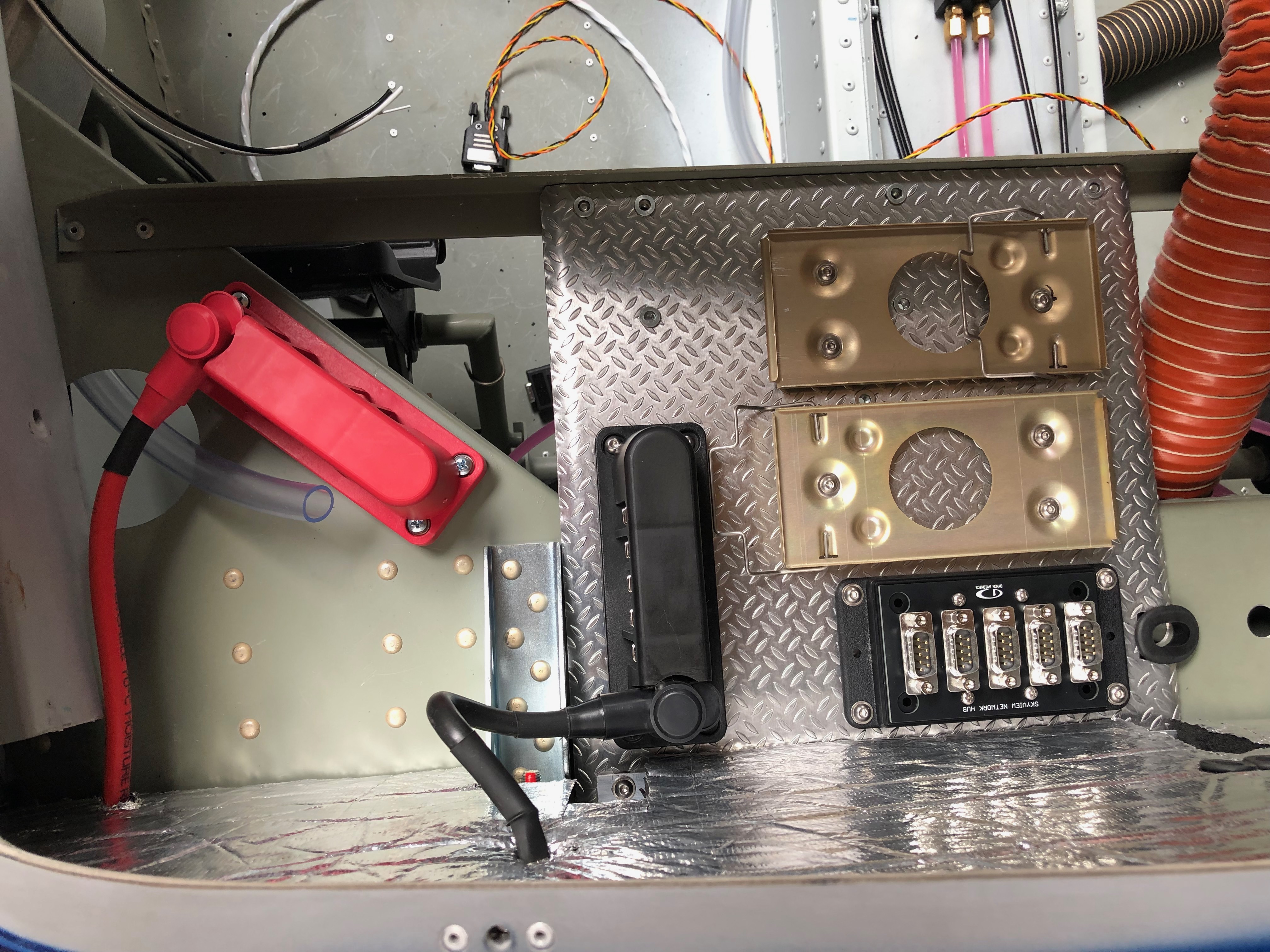
A couple of items to complete the installation of the primary power system. The power and earthing arrangements that I’ve decided to use necessitates rearranging the items on the comms tray. Once this stage is complete and with virtually all the other activities complete until the prop arrives it’s time to move on to wiring the all the systems together. It’s getting to the stage where I need to finalise my panel design and start cutting it out. I haven’t decided whether I will do it myself of get a company to water cut it.
I decided to use a neat 20 way earthing block (VTE 120amp busbar) that complements the power distribution block that I’ve already installed. Where to mount it was an issue but thought the comms equipment tray would work well and shouldn’t produce any interference. So an hour or so was spent trying to work out the best position to ensure ease of access and sensible wiring runs. I think this is the best option. I made up a short earth wire terminated with and 8mm on one end to bolt to the firewall earth stud and 6mm the other to connect to the busbar. This solution will provide 20 feed and earth connections that should be adequate as I have 15 circuits to cater for in the current electrical design.The last wire to add is an earthing strap that is bolted on to the starter motor. This will ensure that the start draws all it’s power from direct connections and not through the aircraft frame or engine mount .The completed primary power system.Onto running the wires and harnesses in that I’ve made into the aircraft and ensuring that they don’t get damaged during service. This is the ADAHRS network cable. I’ve chosen expandable braided PET cable sleeve. It’s tough, very light and is easily installed. Once the cable is run in it can be secured with cable ties. This will be hidden behind the interior panels that I’ve decided to make removable so I can get to these when I carry out my annual checks.For harnesses with connectors on I’ve chosen flexible split conduit which is tough, and light but a little more bulky. The split in the conduit allows me to slip it over my pre-made wires.With all the wires and services that will eventually be installed I have to make sure that the installation remains neat and tidy that will facilitate easy maintenance, good protection of the various services and easier fault finding if I ever have a problem.
With the delivery of a number of outstanding parts I was able to complete the wing locker and servo operating arm installs.
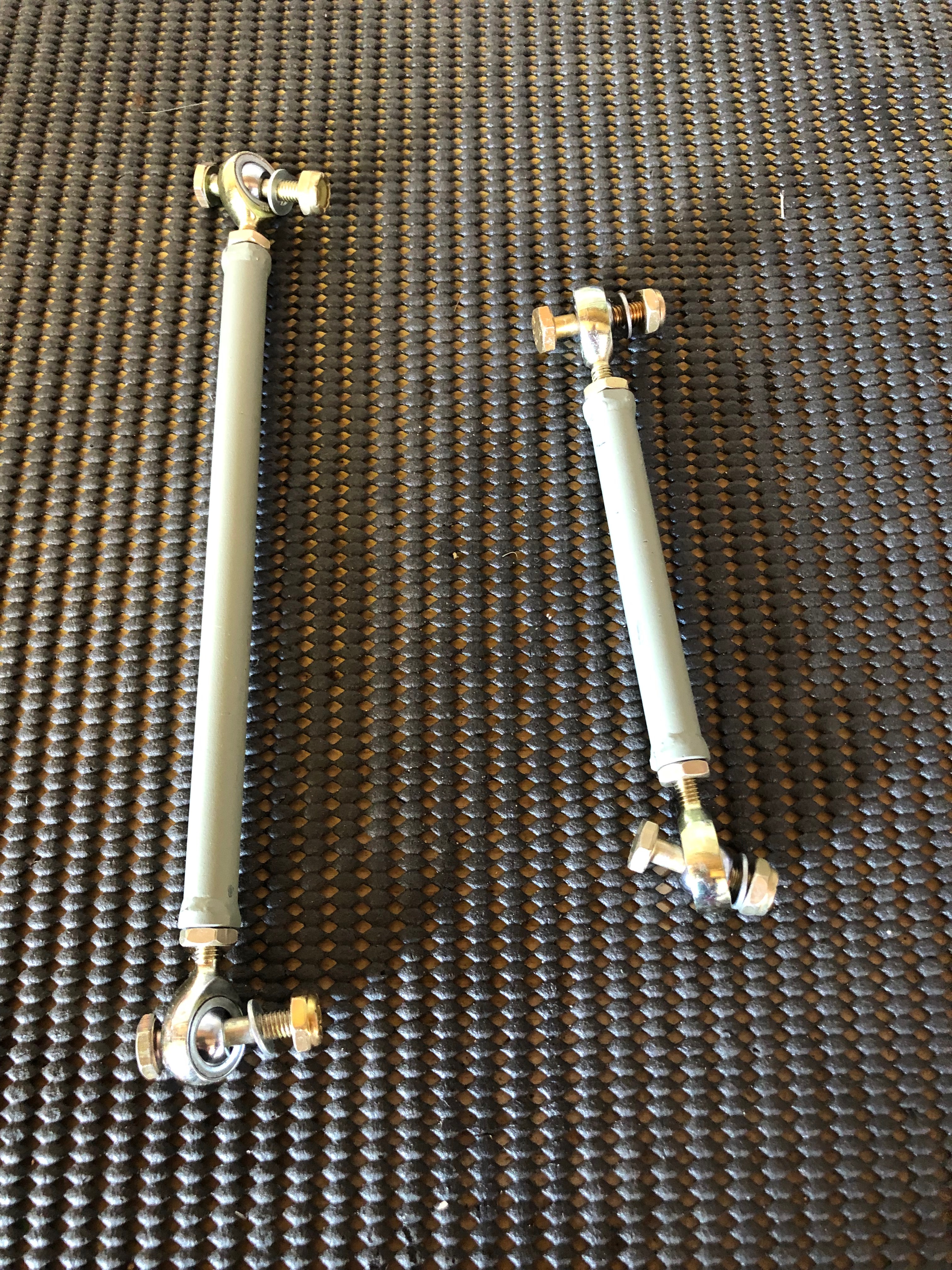
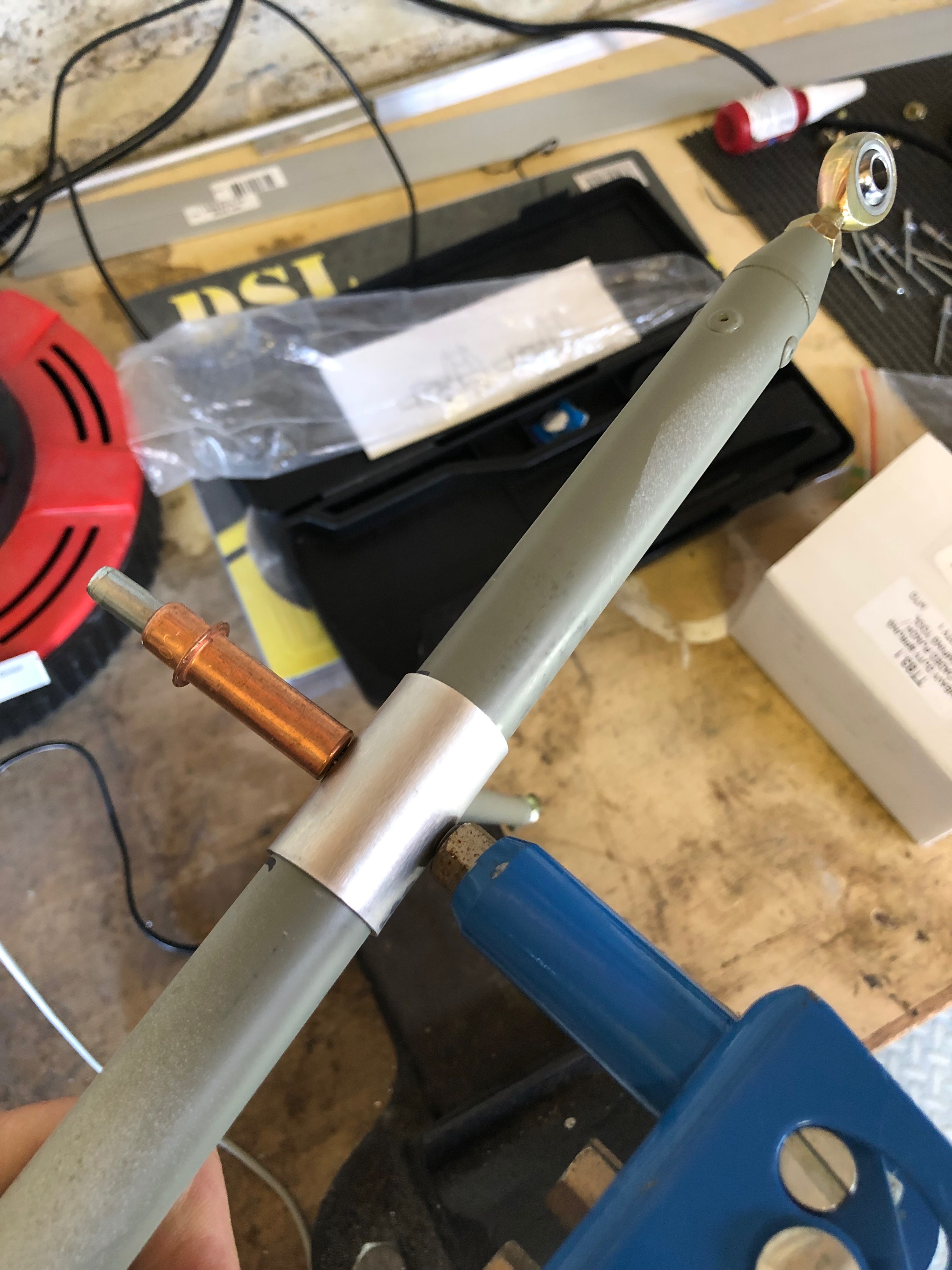
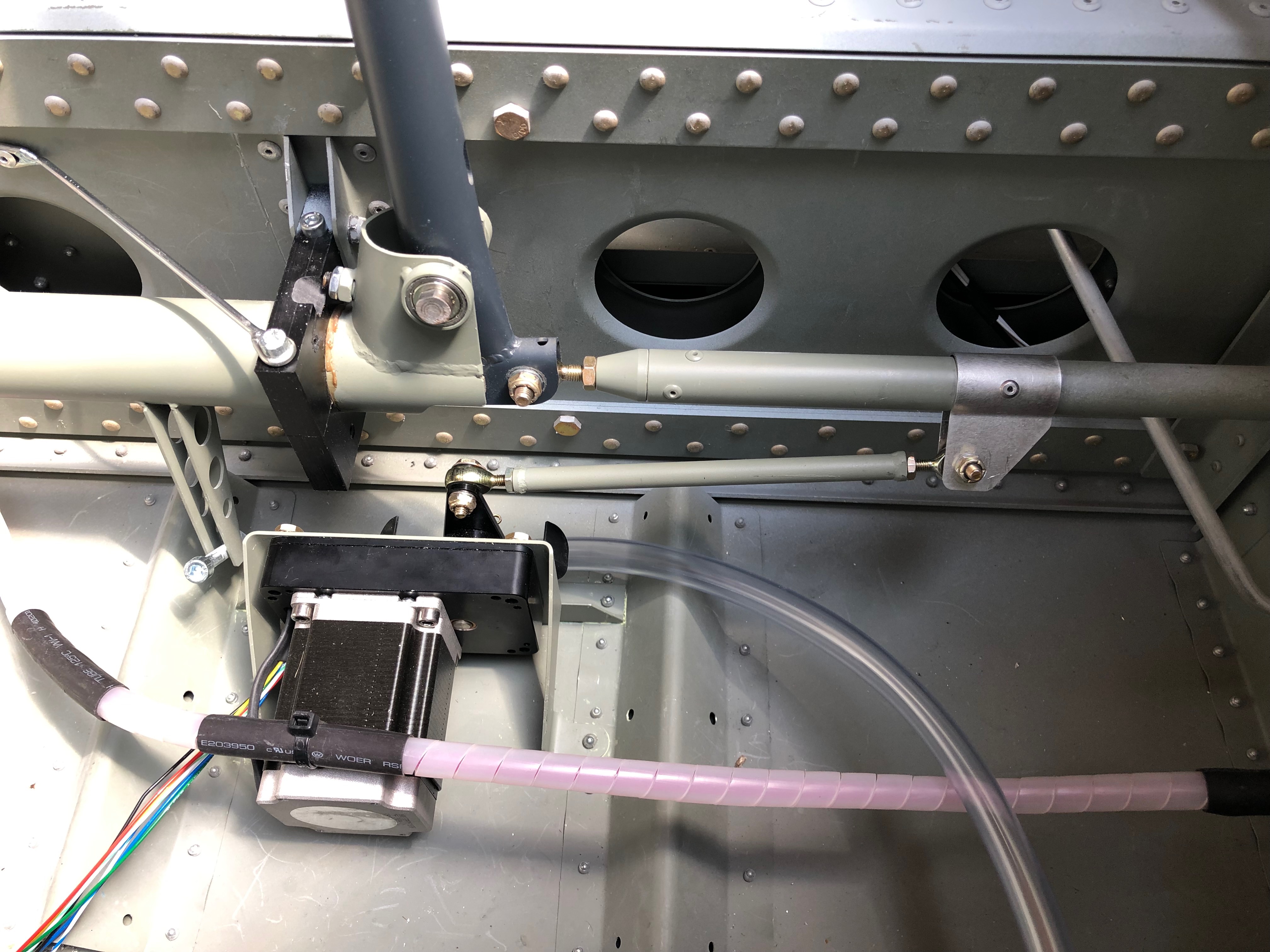
Now I have the fittings for the wing lockers I can finally finish off a long overdue job.The weather-proofing washer is put over the lock barrel and the unit is inserted into the pre-drilled hole…and locked into position with a nut.The locking bar mechanism is fitted onto the lock barrel and held in place with a screw and shake proof washer.The final part of the install is running a rubber seal around the inside edge of the wing locker to make it watertight. The same process is carried out for the starboard wing locker.The wings are now complete!Another item I’ve been waiting for is the servo operating arms so I could finish the servo install.The roll servo is connected to the aileron operating rod with a clamp.attached to the servo arm. The control stick and servo arm are centralised and the clamp position is marked so it can be riveted in place.The only way you can get the aileron control rod out to is by dismantling a lot of the fittings that hold the control sticksThe clamp has two pre-drilled holes holes either side of the clamp that are used as a guide for the rivets. The first hole is drilled and cleco’d in position to ensure it doesn’t moved when drilling the other side.Two 3.2mm rivets are used to further secure the clamp before refitting.The pitch servo rod is a lot simpler to fit. Two AN3 nuts and bolts secure the rod in place and the final adjustment is made once the aircraft is rigged.The roll servo and control arms completed.Final job for today is to start installing the pressure system pipework for the pitot, AOA and static fittings
I had ordered several items whilst I was away in Prague which had been delivered by the time I got home so I was eager to get back to the build. These included a Shorai LiFePO4 battery and circuit breakers. I also received the servo connecting rods and wing locker fittings from Farry and replacement Aveo air vents that will allow me to finish off those two jobs.
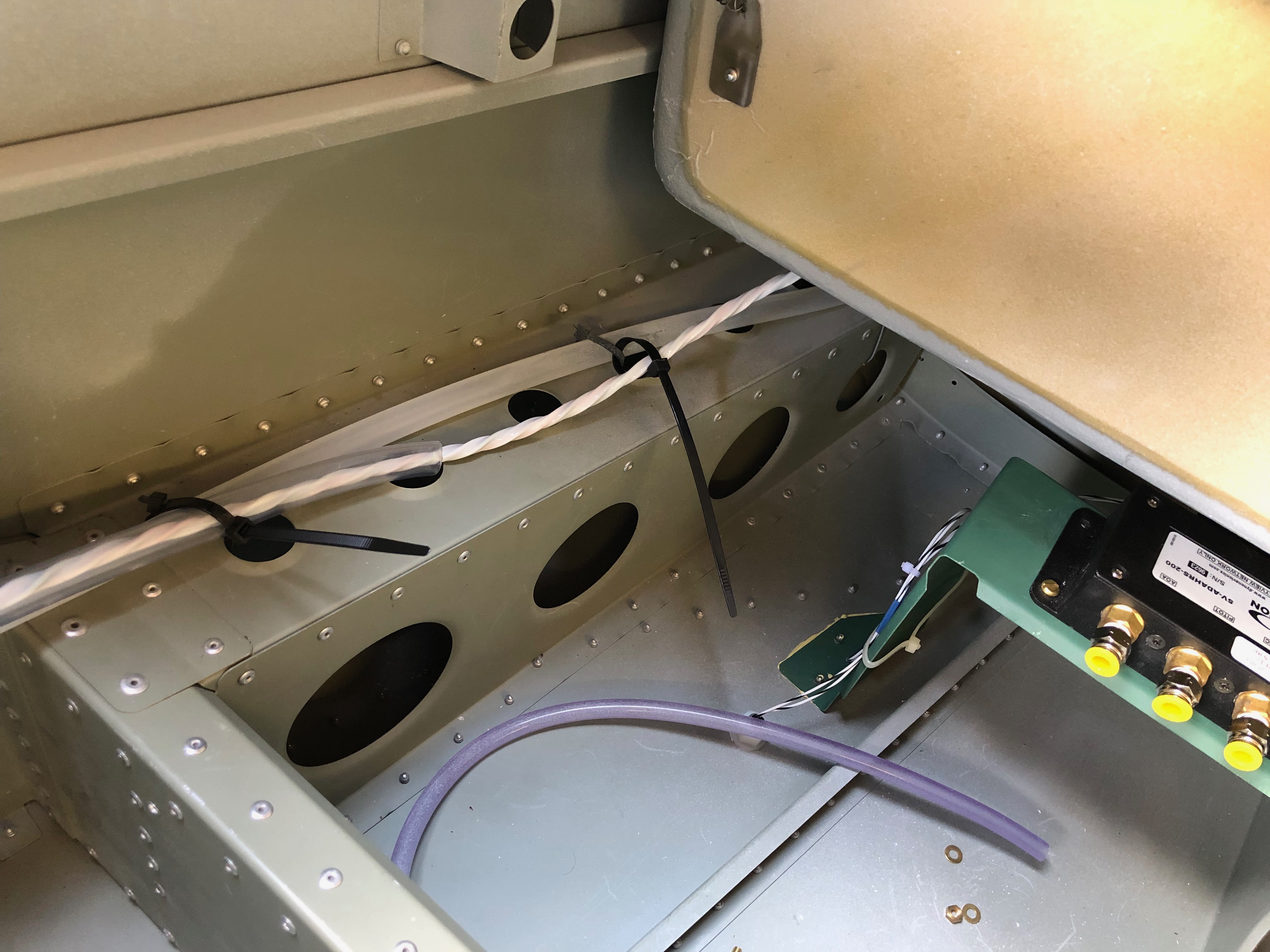
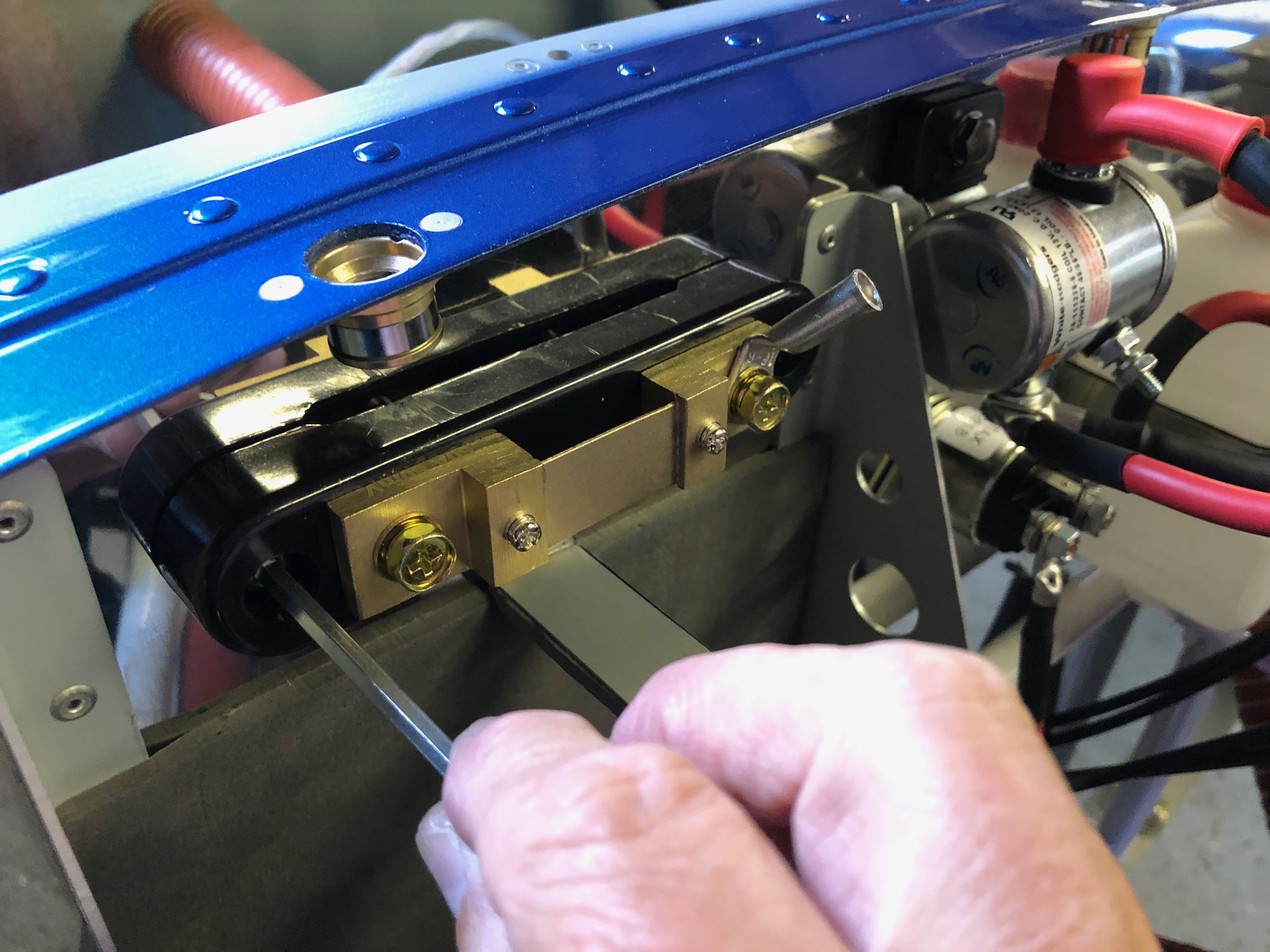
As you can imagine there are a lot of cables running up and down the aircraft so I’m experimenting with conduit that will allow me to run new cables or service the ones already installed. This is some 12.5mm polytube that works quite well for the ADAHRS cable. Just needs to be run in with some thought to make sure that it doesn’t chaff against other things so will probably need stand-offs.One of the jobs I had to leave was to terminate and connect the pitot heat control unit to the power cable I had run in earlier.I’ve tidied the cables around the unit but will have to see if this induces any EMF whilst in use. It’s not close to any other electrical item so should be ok.One of the items delivered was the Amp Superseal connectors that allowed me to terminate the pitot, landing and strobe lights. They are a little fiddly to crimp the connecting pins on but should allow for a weatherproof connection in service.Instead of the normal lead acid battery that weighs several kilograms… I decided to go for a LiFePO4. They are approved with a standard mod and this one has the same capacity as a standard battery but much better cranking power. It’s amazingly small and light weighing just over 1 Kg.So the first job is to make up a retaining bracket for it with some self adhesive padding that was supplied with the battery. The small size of the battery has given me some space to mount the ammeter shunt that measures the power draw from the battery and is displayed on the SkyView displays. The finished installation with battery retaining strap and ammeter shunt.
Now a lot of the build stages have been signed off I can start to install the primary power system, avionics and associated wiring. When I got home I had received a parcel from Farry who had sent the outstanding items to finish the installation of the autopilot and wing lockers. A job that I can do next week now.
It’s time to fit the equipment trays so the avionics units and associated wires and cables can be run out to the various sensors to understand the best route. The populated equipment trays with carriers for the radio and transponder units.Now for the primary power system cabling can be installed. Each cable is measured, cut and the terminals crimped on with a heavy duty crimping unit.There are two types of terminal. The main battery relay uses 8mm and the starter relay and starter uses 6mm.The install so far. Each of the terminals will have a rubber boot that covers the terminal to reduce the risk of anything shorting on them.Wires, wires, everywhere… The sensor wire are fed out in readiness to install.Pilot Pooh supervises the works. There’s definitely less on the back shelf and more installed in the aircraft now!
Finished off the installation of the tail strobe and pitot unit before starting work on the primary power system. Also 10 stages of the build were signed off by Ian.
First job today is to finish off the installation of the tail strobe. The strobe and wire have different colours but can be matched up logically, following the same scheme as the wing strobes.
The purple and orange structure in the background is a multi arm clamp that can be used to hold wires whilst I solder them. The tail strobe wire is fed into the fin but there is no room for any slack so I put a loop in the wire by the rear inspection access hole so I can get to the strobe and solder connections if necessary.The pitot has two aluminium tube, one for airspeed and one for angle of attack. The can be connected to the nylon pipes by warming the pipe and pushing oner the pipes but a better solution is to use connectors supplied in the pitot installation kit. These need installed using a ‘Flaring tool’ to ensure the connection is air tight.I didn’t want to buy a flaring tool for just two pipes but luckily Ian Daniels came to the rescue and the result is two very nice flared pipes.The final assembly ready for fixing to the underside of the starboard wing.Some silicon seal is used to provide so weather proofing prior to riveting on.The unit is held in place with clecos whilst riveting.As shown before the power unit for the pitot heat is mounted on the access panel. The excess wires could be cut but I’ve tidied them up by coiling round the unit and using a cable tie to hold in place.The first crimps of many!The last thing to do is cut the pitot power wire to the correct length and connect them up before securing the panel in place. The only problem is I don’t have any male spade connectors so I’ll have to finish that job off when they arrive.Moving on to the primary power system I’ve decided to add a master battery relay. This allows the switching high currents from the battery to the starter and the main bus by a normal 25amp switch.Now the master relay is mounted the primary power system can be connected. I’ve decided to make my own cables up so I’ve purchased a sprung loaded crimper that uses a vice or hammer to make the crimp. First of a few cable required to be fitted.
Ian Daniels agreed to keep an eye on my build and sign of the completed stages. So that’s it for today whilst Ian inspects the work I’ve done so far.He’s a busy man with several projects on the go but came in today to inspect my work so far and sign off another 10 stages. The photo shows a build record sheet. I now have 17 out of the 27 stages signed off.
Music: Elton John who we’re seeing in Prague next week!
Haven’t got a full day today but thought I could install some of the cables that I received yesterday in the post and the tail strobe.
The Pitot power cable requires quite a heavy duty wire as it can draw up to 10 amps so for the run from the wing to the power it requires 12awg. So the power cables and sensor wires need to be made up into a simple wire loom. I’ve just used some heat shrink tubing along the length.So this needs to be run into the wing conduit.Using a draw wire to pull the wire through I’ve used a piece of heat shrink tubing to join them together.And then pull it through this conduit and hope the heat shrink works which it did.Next is to run the strobe power and sync cable from the tail to the front of the fuselage. Again there is a conduit that makes it relatively painless to do but there is a already a trim control wire running in the conduit so it’s a little tight to feed through.The is the strobe that will be put on the tail fin.The mounting holes need to be drilled using a step drill.And M3 rivnuts and cap head screws are used to secure but I’ve run out of time so will finish off tomorrow.
A few jobs whilst Andy is still here to help including the internal trim panels, OAT sensor, bleeding the brakes and pitot system installations.
The rear panel in normally riveted into the aircraft and has two access panels cut in with covers. I thought it would be a better idea if it was removable so decided to use 3mm screws and rivnuts to secure it instead. First job drill the 5mm hole for rivnuts.
The install the 37 rivnuts in the rear panel…
and 8 along this panel.
The finished job which looks quite good.
The supplied OAT cable is several metres long but I’ve decided to mount it close to the ADAHRS unit so I shortened it out by cutting some wire out of the the middle of the cable and soldered together which removes the need to crimp new ends on.
The OAT sensor is fitted from below and secured with a nylon nut and washer. I’ve used a bit of silicon to make it even more water tight from below before fitting.
The finished installation needs to be within 2 degrees of level in all planes so once the aircraft is finished I may have to shim the unit.
After bleeding the brakes I have two very small air bubbles left in the brake lines that need to be purged. The normal method didn’t work so thought using an electric pump might work. The whole thing turned into a disaster. The first attempt resulted in the electric pump sucking in air. The second attempt resulted in the pump forcing off the pipe. Then on the third attempt the pump failed after 5 seconds of continuous use. I gave up! will try again another time…
Moving onto the pitot installation. I’ve purchased an electrically headed pitot that needs power to it so I need to run power to the unit. There is conduit in the wing so will use this but it’s difficult to get to.
The only place I can easily mount the heater power unit is on access cover but the unit is just little bit big for the access hole so I had to cut the corners of the mounting bracket.
It’s secured onto the of the access panel with M4 screws, washers and nylocs.
It’s a perfect fit..
The view from the underside.
just needs to be connected and wires run up the conduit.
It’s a very tight fit but need to get my arm into the access panel to get to the conduit.
Andy came down to visit again so got him to work straight away! Now the ADAHRS and GMU mounts are in the units can be installed and the Pitot system can start to be installed. The aircraft was also rigged to to check for fitting and alignment which will allow Ian Daniels to sign off that stage.
I ordered some brass screws to secure the ADAHRS unit in place but they were too long so Andy’s first job, correct my mistake and cut 10mm off!
Getting Andy straight down to business.
A pilot hole (drilled by a Pilot!) for the OAT was opened up from below – I’m sure it could have been done from above but it got Andy on the crawler board 🙂
I sat the mounts quite a way back in the fuselage to keep them away from any EMI but it made securing quite tricky. A job for Andy!
The ADAHRS…
and GMU units installed.
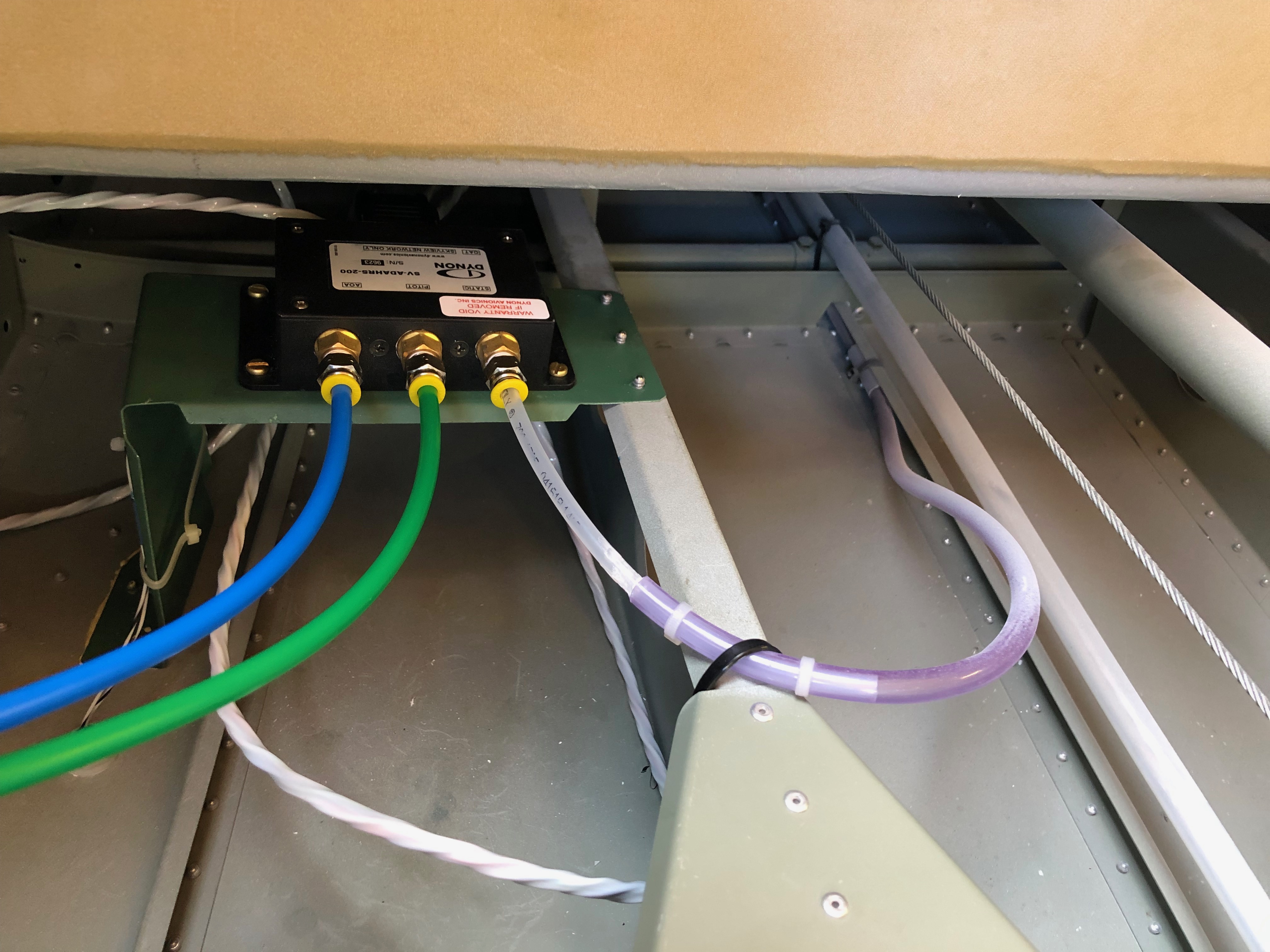
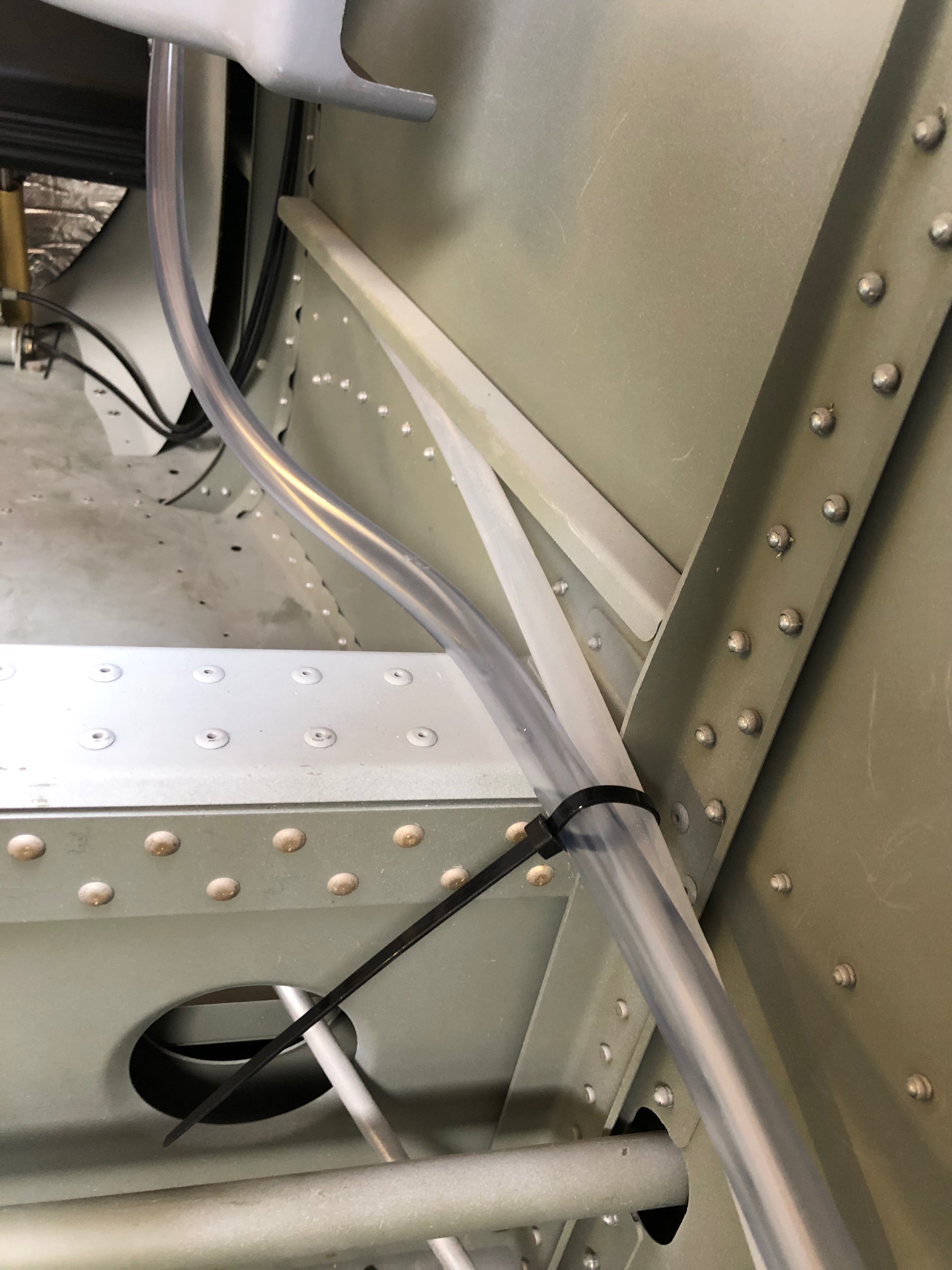
The Pitot system pipes need to be installed so holes are drilled and grommets will be fitted to support the pipes and prevent chaffing.
One of the sign off stages is to check that the wings fit! Ian Daniels guiding the process of attaching the wings for checking.
Wings on and she starts to look more like an aeroplane!
Finished the ADAHRS and GMU 11 mounts then primed and installed them. Spent some of the day investigating switches, circuit breakers and wiring.
Andy is coming over on Monday so we can look at getting some build stages signed off and possibly rig the aircraft to make sure every thing fits!
First thing was to drill the holes for the rivets….
and the holes for the devices that will be attached to the mounts.
The mount is sprayed with chromate primer and jointing compound is applied between the fuselage floor and the mounts to prevent corrosion.
The mounts are riveted from underneath the fuselage.
The GMU 11 mount installed and ready for the GMU unit to be added.
When I got home I got an early surprise of Airmaster. The controller and wiring loom had arrived from New Zealand. They were despatched on Tuesday so pretty quick to get here. I can install the wiring and controller in readiness for the delivery of the prop in late May.
Following the build of my Bristell NG5 Kit No. 382 Registration G-MLSY













 G-MLSY